




If traditional virtual desktops slow your team down, Blue Border offers a very different approach. Instead of streaming a whole desktop from the cloud, it creates a secure workspace right on any PC or Mac, with apps running locally at native speed. 🚀
Blue Border™ by Venn wraps company apps and data in a protected enclave on the endpoint. Work stays safe and isolated. Personal files and activity stay separate and private. Employees can jump between work and personal tasks on the same device without friction or lag.
For IT and security leaders, this means strong control and compliance. For employees, it feels like using a normal computer, not a locked-down remote session. In this article, we will explore five incredible benefits that help eliminate the most common VDI frustrations and show why this secure workspace model is gaining traction across regulated industries.
1. Native Performance Without VDI Lag
Many teams accept latency as the price of security. Traditional VDI and Cloud PCs stream desktops over the network. When bandwidth drops, performance suffers. Users feel it every time they click.
With the Blue Border secure workspace, apps run directly on the user’s device. There is no remote desktop session in the middle. No long path between the user and their apps.
Why native performance matters
When apps run locally, you get:
- Instant response when opening files or switching windows
- Smooth video and audio in Zoom, Teams, and VOIP calls
- Stable performance even on slower home internet
- Far fewer “frozen screen” help desk tickets
This is especially important for teams using demanding tools:
- Designers working with Adobe Creative Cloud
- Engineers running CAD tools
- Analysts working in SAP or large Excel models
These applications often struggle inside hosted desktops. Running them natively removes that bottleneck.
Real-world example
Imagine a financial advisor working from home. Their day involves:
- Video meetings with clients
- Real-time dashboards and trading tools
- Secure access to internal systems
On a legacy VDI platform, each action depends on network quality. If the connection spikes, their desktop stutters. With the endpoint enclave approach, the app runs locally. Only the data follows policy, not the entire desktop session.
The result feels like a normal Mac or PC. Only with corporate-grade protections silently in place. 😌
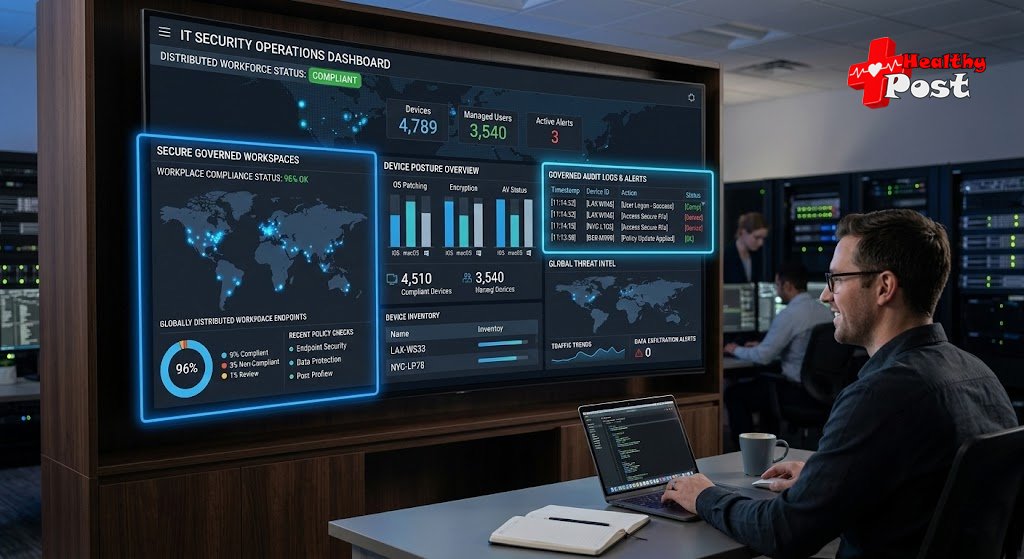
2. A Purpose-Built Secure Enclave on Any Device
One of the most frustrating parts of classic VDI is how unnatural it feels. Users juggle:
- A local desktop for personal use
- A remote desktop window for work
- Confusing file locations in both worlds
The secure workspace model addresses this by placing a purpose-built enclave directly on the endpoint.
How the secure enclave works
On any Windows PC or Mac, the platform:
- Isolates corporate apps and data in a protected zone
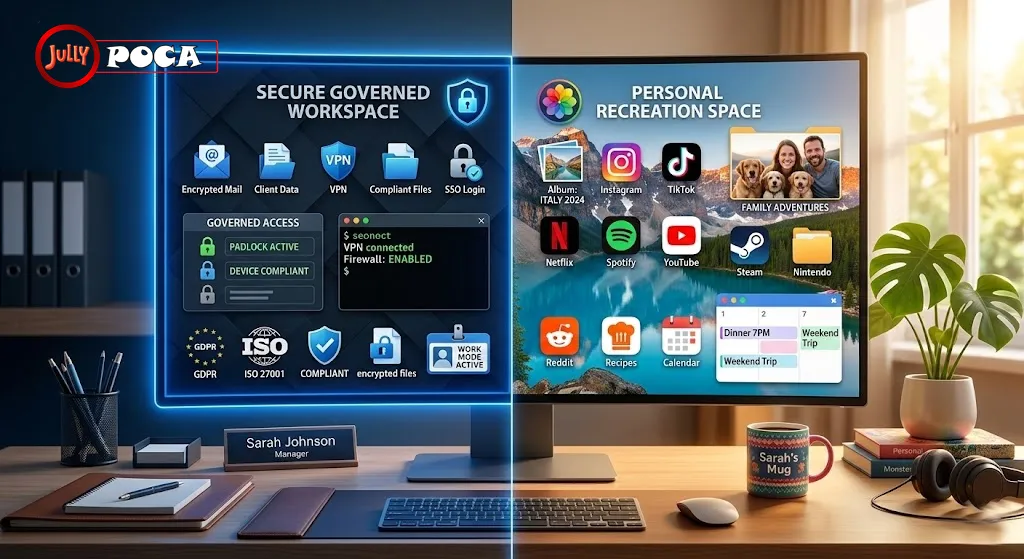
- Keeps personal files and browsing entirely separate
- Enforces encryption and data loss prevention policies
- Applies corporate controls only to work resources
Work applications inside this enclave are visually marked. A distinct blue outline around the window signals:
“This is work. Data here is governed and protected.”
Personal apps remain unmarked and free of corporate oversight.
Supports the tools your team already loves
The enclave supports major applications without modification, including:
- Microsoft Office and Outlook
- Chrome, Edge, and other browsers
- Slack and collaboration tools
- Zoom, Teams, and VOIP clients
- CAD applications and engineering tools
- SAP and other business systems
- Custom line-of-business apps
Because everything runs locally, there is no need to “VDI-proof” your software stack. You avoid the complex tuning often required with virtual desktop infrastructure (VDI).
Simple rollout, even for contractors
Another pain point with legacy desktops is provisioning. Setting up new users often means:
- Building server images
- Allocating capacity
- Coordinating with multiple teams
With this endpoint-secure workspace, onboarding is much lighter:
- No backend infrastructure to build or maintain
- Users download a client and enroll in minutes
- Policies apply automatically based on role
That simplicity shines when you work with contractors. You can give them secure access from their own devices without shipping hardware or creating complex VDI profiles.
3. Privacy That Respects Employees’ Personal Lives
Many employees quietly worry about one thing: “Can IT see what I do on my own computer?”
Traditional hosted desktops often blur that boundary. Session recording, keylogging, or extensive monitoring may be technically possible. Even when policies are reasonable, the perception of surveillance can damage trust.
The secure workspace model takes a deliberate stance on privacy. It separates work from personal life in a way employees can clearly understand. 🙏
Clear separation of work and personal activity
The platform creates a secure enclave for company resources. Inside that space, IT can:
- Enforce security controls
- Monitor access to corporate data
- Log activity for compliance
Outside that space, on the personal side, IT and the vendor cannot see:
- Personal browsing or email
- Family photos, documents, or media
- Personal apps, chats, or social media
This “privacy shield” is not just a promise in a policy document. It is built into the architecture.
Why this matters for adoption
Organizations increasingly rely on BYOD and remote work. Employees use:
- Their own laptops
- Shared home devices
- Personal networks and peripherals
Without privacy assurances, many people resist. They fear losing control of their personal digital lives.
When they can see a clear visual boundary for work apps, trust improves. Employees know:
- Which windows are work and governed
- Which parts of the device are personal and private
That clarity reduces friction. People are far more willing to use a single device for both worlds.
Practical example
Consider a healthcare consultant who travels often. They:
- Access HIPAA-protected data
- Run analytics in Excel and BI tools
- Use the same laptop to watch movies at night
With the secure enclave, their work tools run inside the protected zone. Their streaming apps, personal mail, and photos are outside it. The consultant stays productive and compliant. At the same time, their personal life remains invisible to IT.
4. Compliance and Governance Without the Complexity
Security and compliance leaders face intense pressure. They must protect sensitive data, meet strict regulations, and support flexible, modern work. Traditional desktop virtualization tries to help but often introduces heavy complexity.
The secure workspace approach is designed with compliance in mind from the start. It helps organizations align with frameworks such as:
- SOC 2 Type II
- HIPAA and healthcare privacy rules
- SEC and FINRA guidance for financial services
- PCI requirements for payment data
- CMMC and other defense-related standards
- NAIC and NYS DFS regulations
- Massachusetts 201 CMR 17.00 and similar state laws
Built-in controls for regulated environments
Inside the enclave, corporate policies can enforce:
- Encryption of data at rest and in transit
- Data loss prevention (DLP) rules
- Clipboard, print, and file transfer controls
- Application access based on role
- Device and location-based access controls
This works well for sectors such as:
- Financial services and wealth management
- Insurance and brokerage firms
- Healthcare and life sciences
- Government contractors and defense suppliers
Instead of building and managing a complex VDI farm, you get a more streamlined solution on the endpoint.
Audit-ready visibility and reporting
Compliance teams need evidence, not just assurances. The platform provides:
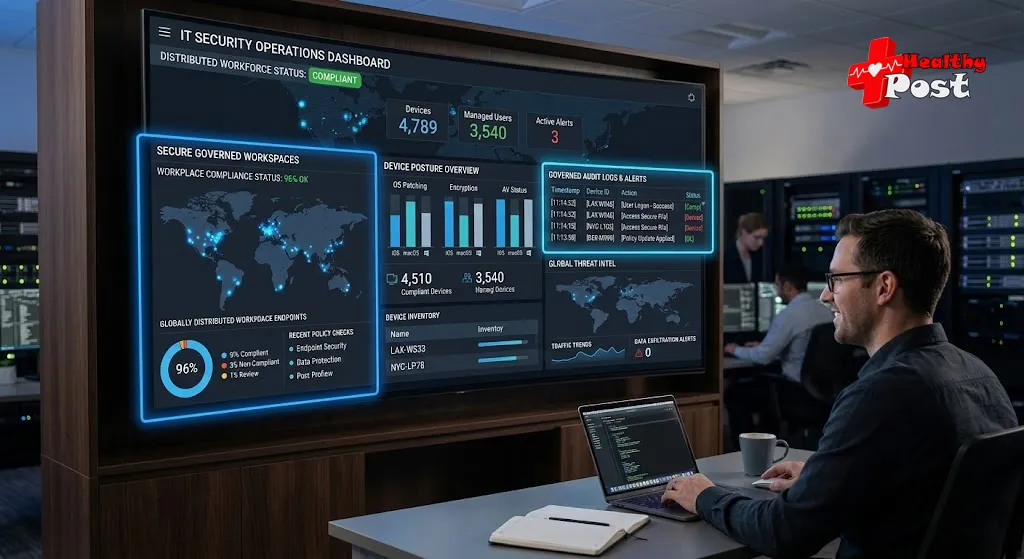
- Real-time visibility into access and activity for work resources
- Detailed logs for audits and investigations
- Centralized policy management across devices and locations
You can answer questions such as:
- “Who accessed this type of data last month?”
- “From which devices and locations?”
- “Were policies enforced correctly?”
This reduces the stress of regulatory exams. It also gives governance leaders confidence that controls are effective, not just documented.
5. Simpler, More Affordable BYOD and Remote Work at Scale
Legacy virtual desktops often deliver security but at a painful cost. They demand:
- Data center or cloud infrastructure
- Specialized storage and networking
- Ongoing tuning and performance management
- Expensive licensing and management layers
They also frustrate users with slow experiences and rigid workflows. The endpoint-secure workspace model offers a more balanced path.
Lower total cost than traditional desktop hosting
By running apps locally and isolating data on the endpoint, you can reduce:
- Hardware requirements in data centers
- Infrastructure and hosting costs
- Time spent on complex VDI profile management
- Help desk volume tied to latency and session issues
You also avoid shipping many corporate laptops. Instead, you can safely embrace bring-your-own-device programs.
Empowering a modern BYOD strategy
Because corporate data stays in the secure enclave, you can:
- Allow contractors to use their own devices
- Hire from anywhere without shipping hardware
- Offboard users quickly by revoking access
- Keep corporate information from spilling into personal storage
Onboarding and offboarding become much faster. Employees or contractors:
- Install the client
- Enroll their device
- Receive policies automatically
When they leave, access is removed. Corporate data within the enclave remains protected or wiped, while personal content remains intact.
Better user experience, happier teams
Users can:
- Seamlessly switch between work and personal apps
- Enjoy native performance across tools
- Avoid learning a separate remote desktop workflow
This balanced experience supports retention and productivity. People feel trusted and supported, not surveilled or constrained. 🙂
How Blue Border Compares to Legacy Virtual Desktops
It can help to see the differences between this secure workspace model and older approaches side by side.
| Feature | Blue Border™ Secure Workspace | VDI / Cloud PCs / DaaS |
|---|---|---|
| Performance | Native apps, zero added latency | Often slow, subject to network and latency |
| Privacy | Full separation of personal activity | Limited separation, potential over-monitoring |
| Cost | Lower infra and management costs | High infra, licensing, and tuning costs |
| Deployment | Quick setup, no backend required | Complex, time-consuming to roll out |
| Compliance | Designed for SOC 2, HIPAA, FINRA, PCI | Varies widely by provider and configuration |
| User Experience | Seamless work/personal toggling | Remote desktop feels artificial and clunky |
This comparison highlights a key idea. You can keep strong controls and compliance without forcing everyone into a hosted desktop. Instead, you deliver a workspace that feels natural while remaining governed and secure.
If you want additional context on the evolution of secure remote work solutions, several industry bodies now recommend endpoint-centric approaches. They focus on controlling data and identity, not just networks and servers.
Security and Privacy: A Closer Look
The security design centers on two pillars: protection of corporate data and respect for personal privacy.
Secure enclave as a data firewall
The enclave acts like a local firewall around work resources. It:
- Controls where data can be saved or copied
- Restricts unapproved file sharing or uploads
- Allows controlled access to printers and USB drives
- Applies encryption automatically
This lets organizations support remote work, even on unmanaged networks, while keeping sensitive information contained.
Privacy shield for personal usage
Outside the enclave, personal activity remains:
- Unmonitored by corporate IT
- Inaccessible to the vendor
- Untouched by corporate policies
This duality is important. It reduces legal risk around employee privacy. It also encourages people to fully adopt the platform rather than trying to bypass controls.
Audit-ready for governance, risk, and compliance
Security and compliance leaders gain:
- Central dashboards across users, devices, and access points
- Exportable logs for audits and incident reviews
- Assurance that controls are enforced in real time
This supports a risk-based approach to modern work. You gain strong governance and evidence without forcing everyone into a heavy VDI stack.
Adoption, Trust, and Real-World Momentum
The secure workspace approach is not theoretical. It is already used by hundreds of organizations that once relied heavily on VDI.
Who is adopting this model?
More than 700 organizations across industries now use this style of secure workspace, including:
- Large financial services brands
- Insurance and benefits providers
- Broker-dealers and trading firms
- Consulting and professional services firms
Names such as Fidelity, Guardian, and Voya reflect a clear trend. Highly regulated organizations trust endpoint-secure workspaces to protect their data.
Industry validation
Security and technology leaders have highlighted this architecture as a modern VDI replacement. They often point to:
- Strong compliance posture
- Reduced infrastructure overhead
- Improved user satisfaction
For example, security architects in financial services have emphasized how this model enables strict controls without harming advisers’ client interactions. Leaders in managed service environments have noted that compliance milestones once tied to data centers are now reachable on the endpoint.
This pattern suggests a broader shift. Organizations are moving away from desktop centralization and towards data-centric, endpoint-aware controls.
Frequently Asked Questions
1. How is this different from traditional VDI or Cloud PCs?
Traditional VDI and Cloud PCs stream a full desktop from a server. The secure workspace keeps apps and data local on the device. It isolates work resources in a protected enclave while leaving the rest of the device personal and private.
2. Does this work on both Windows and Mac?
Yes. The secure enclave runs on both Windows PCs and Mac devices. It allows consistent protections and policies, regardless of the user’s preferred platform.
3. What happens to my personal files and apps?
Personal files and apps stay outside the secure enclave. Corporate IT controls apply only to work resources. Your personal browsing, photos, media, and non-work apps remain private and out of sight.
4. Can it support demanding apps like CAD or video conferencing?
Yes. Because applications run locally, performance is strong for CAD, design tools, Office apps, and collaboration tools like Zoom and Teams. This avoids many of the latency issues seen in hosted desktops.
5. How quickly can we onboard new employees or contractors?
Onboarding is fast. New users install a client, enroll their device, and receive the correct policies. There is no need to build complex VDI images or allocate new server capacity.
6. Is it suitable for regulated industries?
Yes. The platform is designed to help meet strict standards such as SOC 2 Type II, HIPAA, SEC, FINRA, PCI, CMMC, NAIC, NYS DFS, and Mass 201 CMR 17.00. Centralized logs and policies support audits and regulatory reviews.
Conclusion: A Better Way to Secure Modern Work
Legacy virtual desktops tried to bring security and centralization to distributed teams. They often delivered frustration instead. Slow sessions, complex rollouts, and unclear privacy boundaries left both users and IT teams unsatisfied.
By contrast, Blue Border offers a secure workspace that runs right on the device, with native performance and clear separation between work and personal life. It isolates company data and applications in a local enclave, enforces strong security and compliance controls, and still lets employees use one computer for everything.
You gain:
- Faster, more natural app experiences
- Strong privacy protections for personal activity
- Compliance support for demanding regulatory environments
- Lower infrastructure and management costs than traditional VDI
- Simple onboarding and offboarding across employees and contractors
If you are exploring alternatives to virtual desktops or Cloud PCs, this secure workspace model deserves serious consideration. It can help you embrace BYOD and remote work at scale while keeping sensitive data protected and auditors satisfied.
Would you like me to also break down pricing models and deployment options for Blue Border™, so you can see how it compares financially to VDI or Cloud PCs? 💬